Tribal Data Resources

Member Login

FEATURES: The all new PDS data management system offers many features and a highly automated format. Features include:

  • PDS data management system is offered in a single user format as well as a client/server option for multiple simultaneous users over a local area network (LAN) or over a qualified wide area network (WAN)

    Database Setup:
  • Automated income standard management with Web access to national income standard sites (Ex: HUD, US Census, IHS) from within the PDS software. Tribe/Agency Seal/Logo register. The user may add a seal or logo to PDS and register it in the Database Setup, the seal/logo will then be automatically displayed on reports and query result output.

    Member Records:
  • Household records have been structured with many fields to provide detailed personal information.
  • Information categories include: height, weight, hair color, and eye color, as well as personal email and website addresses.
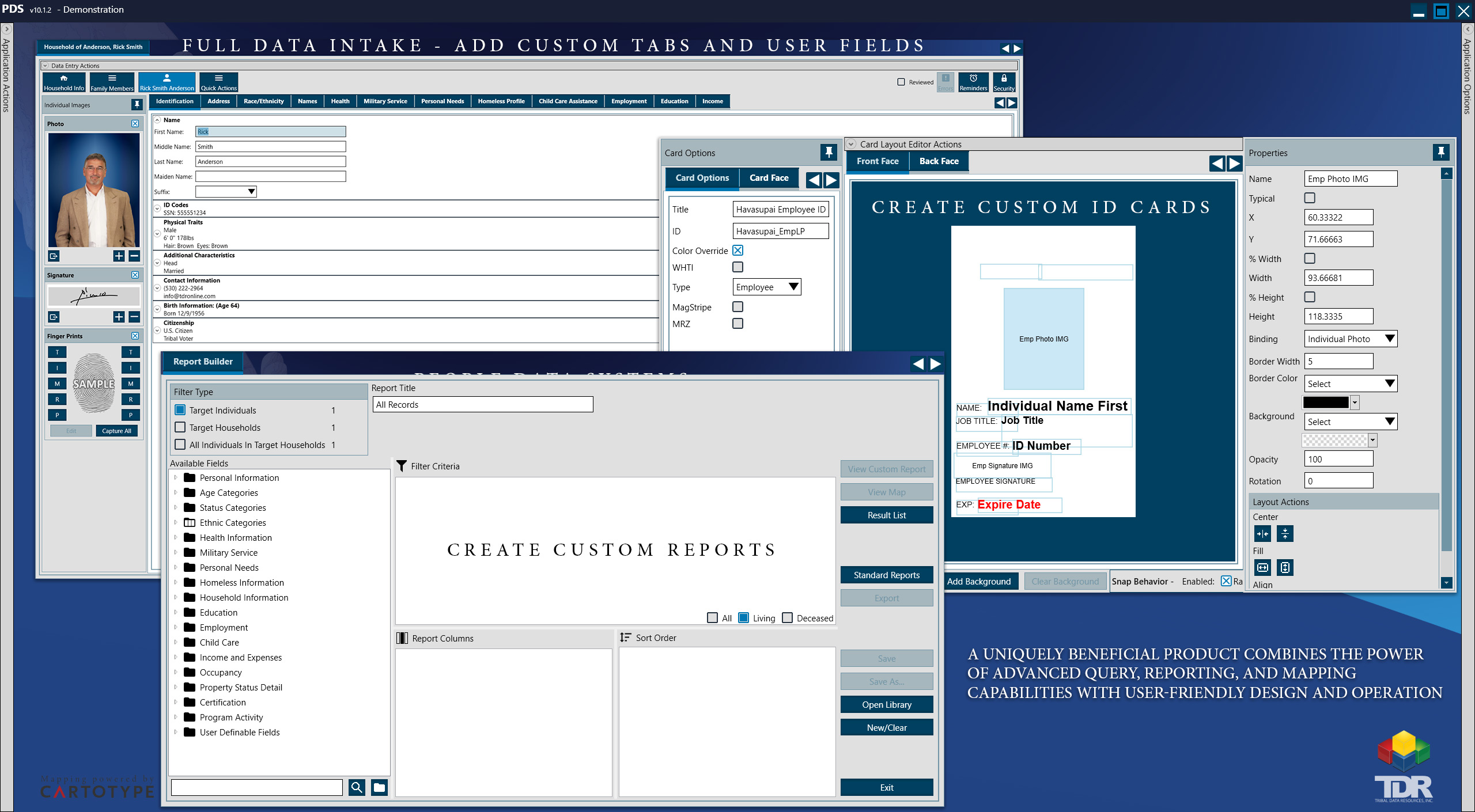
  • Includes categories military experience and Veteran Status. Photos can be added for each individual family member as well as a family photo or picture of the dwelling that they live in (great for housing program applications).
  • Additional address and structural identification fields have been added PDS now provides a notes field for each family member as well as a general notes field for the household and/or dwelling.

    User-Definable Fields:
  • The user can create virtually unlimited new fields in the database with options for text fields, Pick-Lists, check boxes, dates, and multiselect lists/
  • All new fields maybe queried and structured in reports from within PDS Report Builder.

    Reports:
  • Project Summary Report (Summary of project activities, standards, and totals. This report includes a brief data collection methodology, summary of target area composition, HUD/NAHASDA "census challenge" delineations, and more)
  • Household "Profile" Report (all household demographic information displayed and/or printed in one report including individual color photos of family members and the dwelling they live in)
  • Age Extrapolation Report (delineation of the number of individuals in survey)
  • Ethnicity Report –charted and graphed report featuring a delineation of all ethnicities represented in surveyed households (example: 68% Native American/Alaskan Native, 14.6% Hispanic, etc.)
  • TDR’s standardized reports can be exported in .PDF format for email distribution of color and photo reports.
  • Update and Maintenance Policies and Procedures Performance Report. A Performance document outlining suggested data "update and maintenance" procedures can be printed in a Microsoft Word format for user modification
  • Filtering Options: All PDS reports can now be filtered by geographic AND demographic delineations. Example: an "Employment Summary Report" with color charts and graphs can be produced for individuals between the ages of 35 –55 years who live within the tribal service area, if desired.

    Report Builder:
  • This tool features reporting options by household or individual delineations (example: Households in poverty vs. individuals in poverty). Many query and reporting options have been provided, including: Age Projection (Ex: How many members will be of voting age on Nov. 1st, 2005)
    • Birth Date by Month (Ex: List everyone in member households born in the month of June)
    • Database activity (Ex: Records updated by user and/or by date range)·User-Defined “query summary” report that can be printed with the query detail or independently

Note: Advanced export options: Report results can be exported in .ASCII, .MDB, or .PDF format for email distribution of color and photo reports


Copyright © 2009 TDR (Tribal Data Resources)
XHTML Validation
CSS Validation